
Review a recording
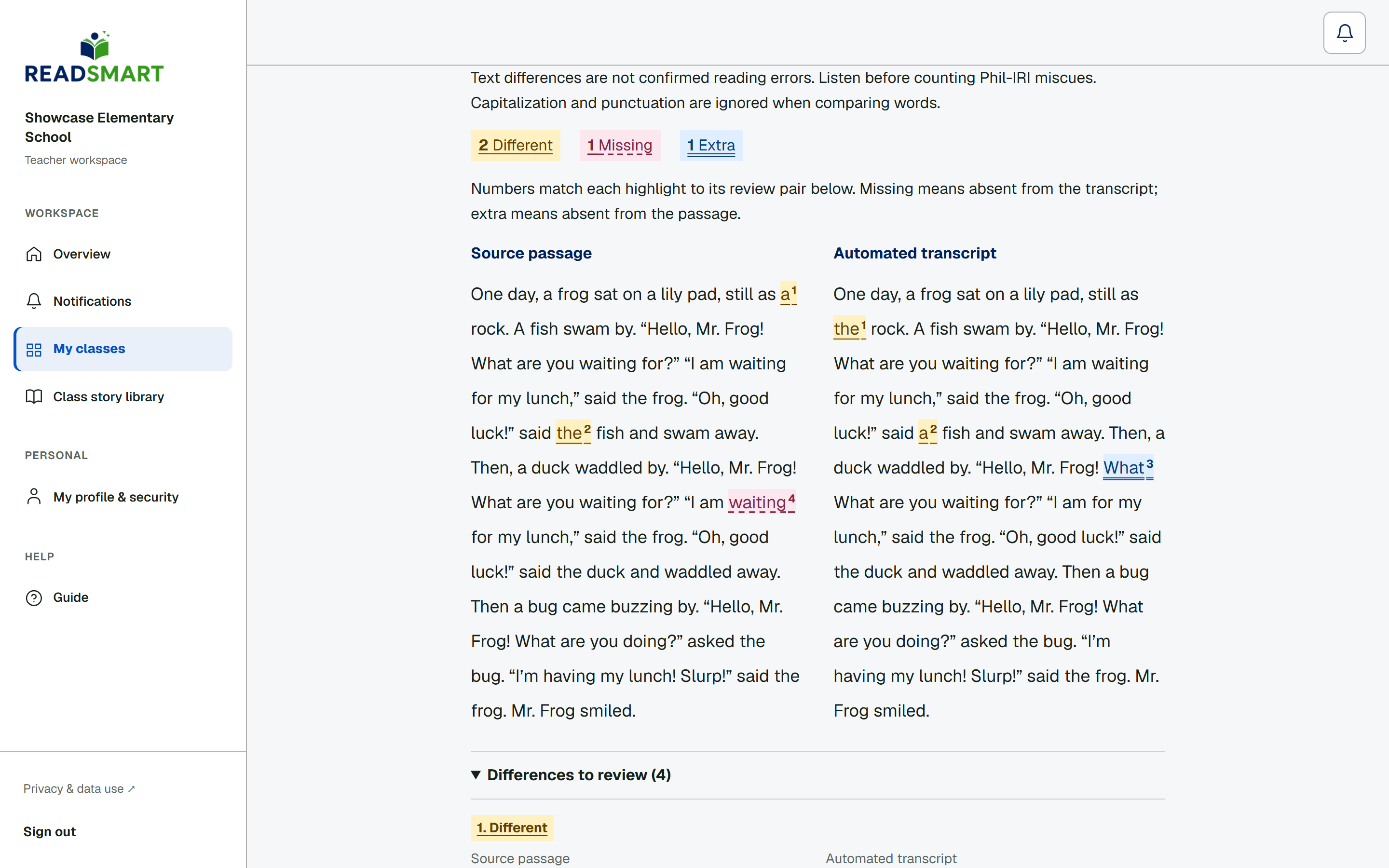
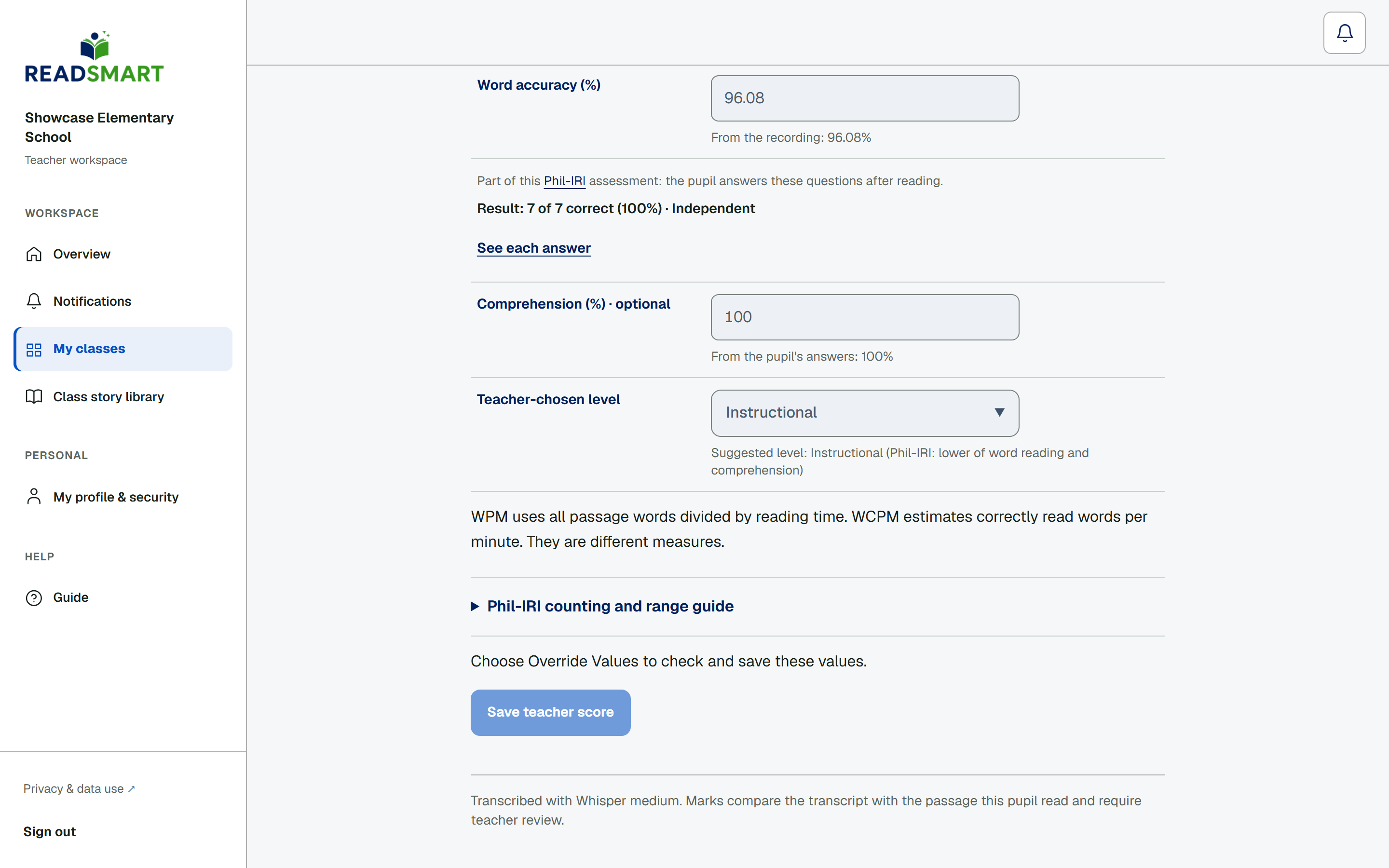
Listen with the player, then check the color-coded passage: the colors mark where the transcript differs from the passage and point you to places worth a second listen, not mispronunciation. Above it, Automated estimate shows READSmart's suggested level and measures, worked out from the recording. Tap Override Values to open the worksheet, check or correct each figure, choose the reading level yourself, then save your teacher score. If the passage has questions, a second tab shows the student's answers, each marked right, wrong, or LB for looked back. You can also write the student a short message with their next step: it opens right away on a practice reading, and on an official reading once you have saved your own score, so a cross-scorer never sees a colleague's message before scoring blind.
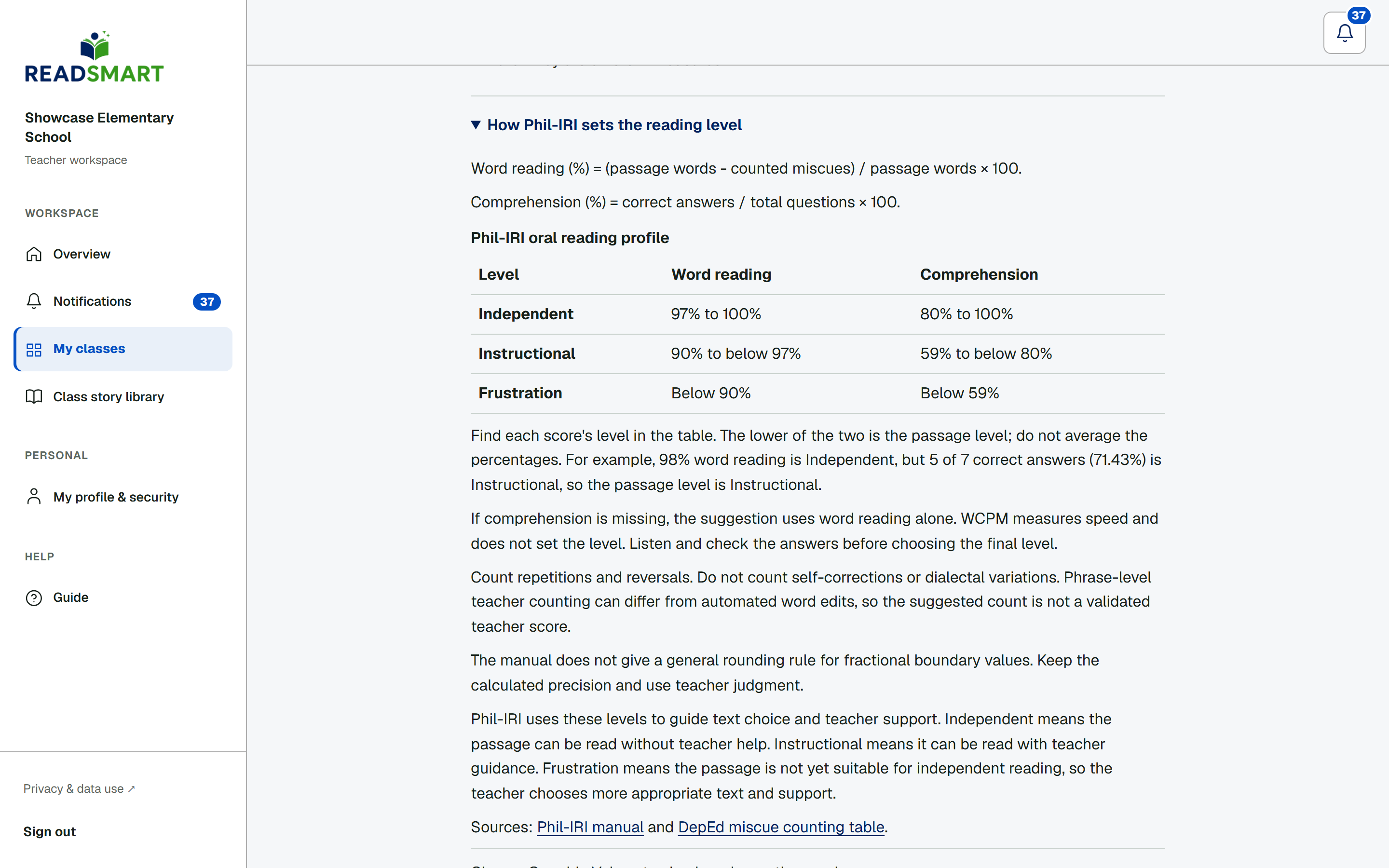
The suggested Phil-IRI level uses both word reading and comprehension. READSmart turns each score into Independent, Instructional or Frustration, then suggests the lower level. For example, 98% word reading is Independent, but 5 correct answers out of 7 is Instructional, so the suggestion is Instructional. If the student has not answered yet, the suggestion uses word reading alone. WCPM measures speed and does not set the level. Listen for miscues the transcript cannot count, check the student's answers, and choose the final level yourself.
Open How Phil-IRI sets the reading level below the worksheet when you need the rules. Word reading is (passage words minus counted miscues) divided by passage words, times 100. Comprehension is correct answers divided by all questions, times 100. The table shows Independent at 97% or higher for word reading and 80% or higher for comprehension. Instructional starts at 90% and 59%. Below those marks is Frustration. Use the lower of the two levels. The guide links to the DepEd Phil-IRI manual.