
Add READSmart Online to your phone
Tap Install app in the menu, or go to readsmart.app/install. If you see an Install READSmart button, tap it and say yes.
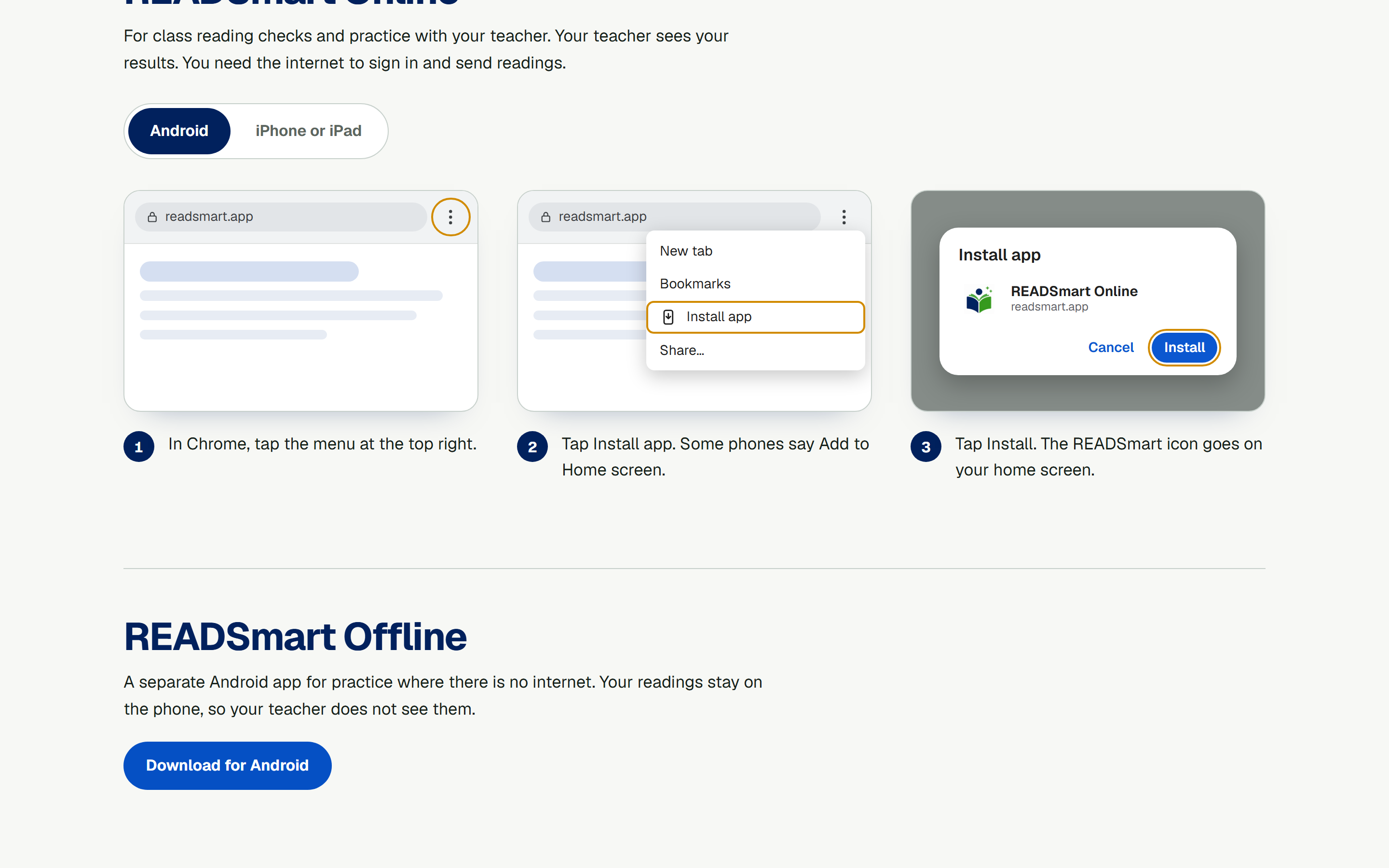
No button? Pick Android or iPhone. There are three steps, each with a picture. The orange ring in the picture shows where to tap.
On Android, use Chrome. Tap the menu at the top right. Tap Install app, then Install.
On iPhone or iPad, use Safari. Tap Share, then Add to Home Screen. Keep Open as Web App on, then tap Add.
The icon is called READSmart Online. Tap it to open the app. The app updates by itself. You still need the internet to sign in, send your reading, and see results.