
Skip to content
HomeDemoGuidesInstall appAboutContactSign In
Interface language
School admin guide
  1. 1. Sign in as a school administrator
  2. 2. Add READSmart Online to your phone
  3. 3. School overview
  4. 4. Set up classes
  5. 5. Teachers
  6. 6. Approve teacher requests
  7. 7. Manage staff access
  8. 8. Record a guardian's decision
  9. 9. Usage and practice limits
  10. Questions
  1. Guides
  2. /School admin guide
  3. /Teachers

5 of 10

All topics
  1. 1. Sign in as a school administrator
  2. 2. Add READSmart Online to your phone
  3. 3. School overview
  4. 4. Set up classes
  5. 5. Teachers
  6. 6. Approve teacher requests
  7. 7. Manage staff access
  8. 8. Record a guardian's decision
  9. 9. Usage and practice limits
  10. Questions

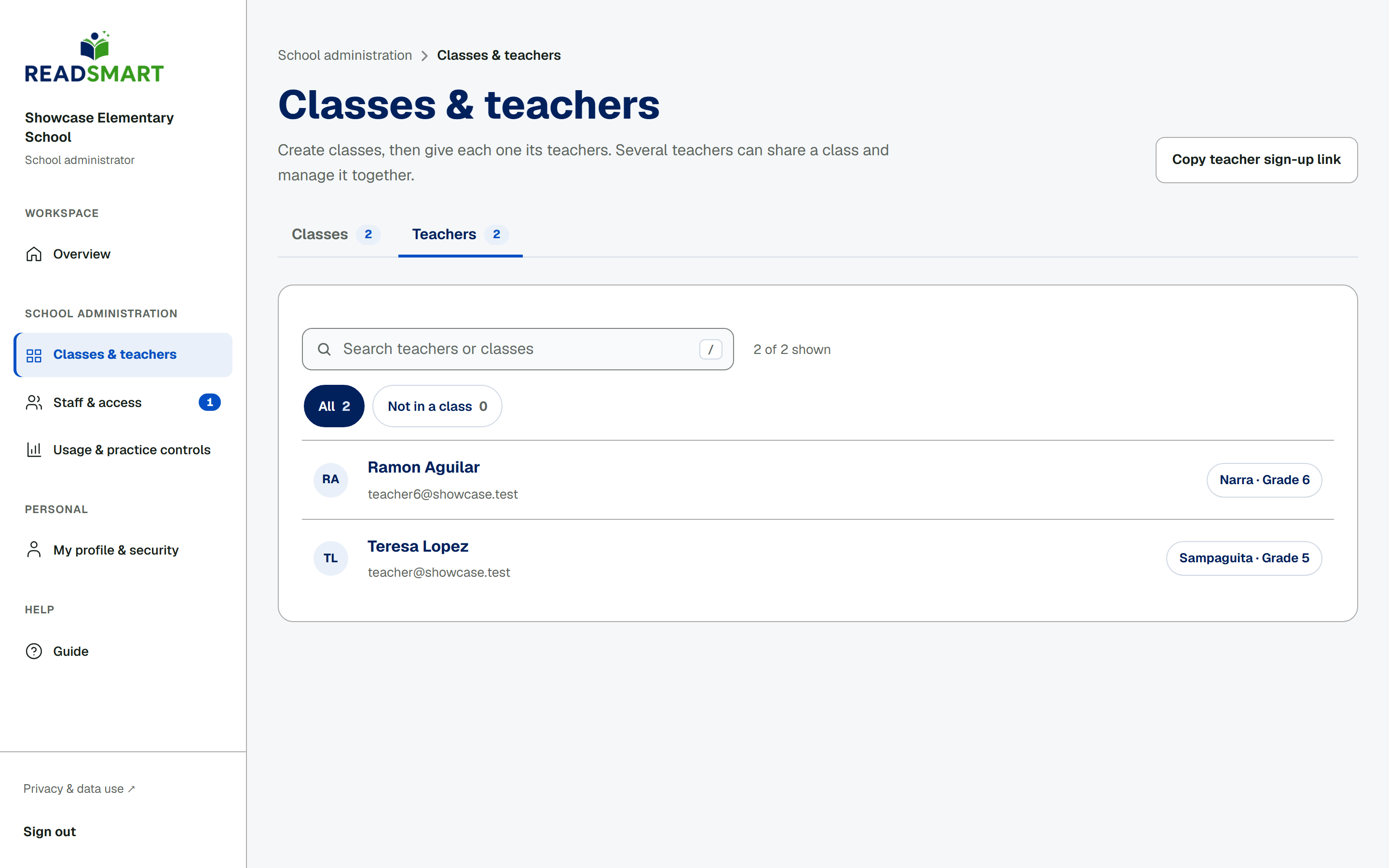
Teachers

The teacher list
Every teacher and their classes.

The Teachers tab lists every approved teacher with the classes they manage, and flags anyone not yet in a class. Tap a class next to a teacher's name to jump to that class's team page. To bring on a new teacher, tap Copy teacher sign-up link and send it to them: they use it to ask to join your school.

Previous Set up classesAll topicsNext Approve teacher requests

Download the whole guide (PDF, 2.0 MB)

READSmart

Read Today. Learn Today. Grow Every Day!

GuidesResearchAboutContactPrivacySources

Oral reading research for Grades 4–6 by Cyrill D. Tapales, MSIT · Eastern Visayas State University, Main Campus