
School overview
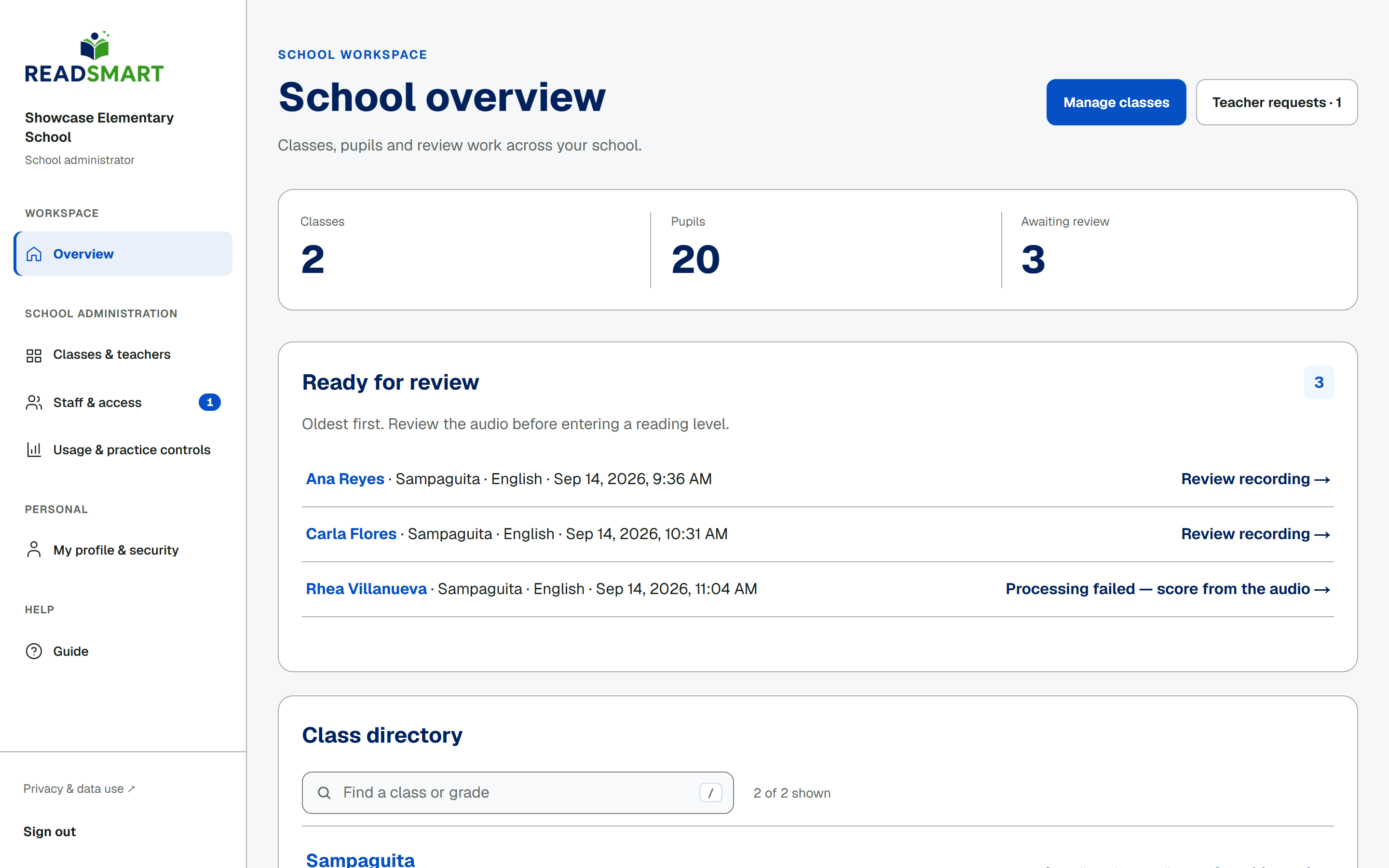
An administrator's overview covers the whole school, not just one teacher's classes. The heading reads School overview, and two buttons sit at the top: Manage classes, which opens Classes & teachers, and Teacher requests, which shows how many join requests are waiting. Below that, Ready for review lists every recording in the school waiting for a score, oldest first, and the class directory lists every class, not only the ones you teach.